Beautiful PostgreSQL
Database Viewer
A modern, keyboard-first PostgreSQL database viewer with Model Context Protocol support.
Built with Tauri for native performance and a beautiful dark theme.
Powerful Features
Everything you need to explore and manage your PostgreSQL databases efficiently.
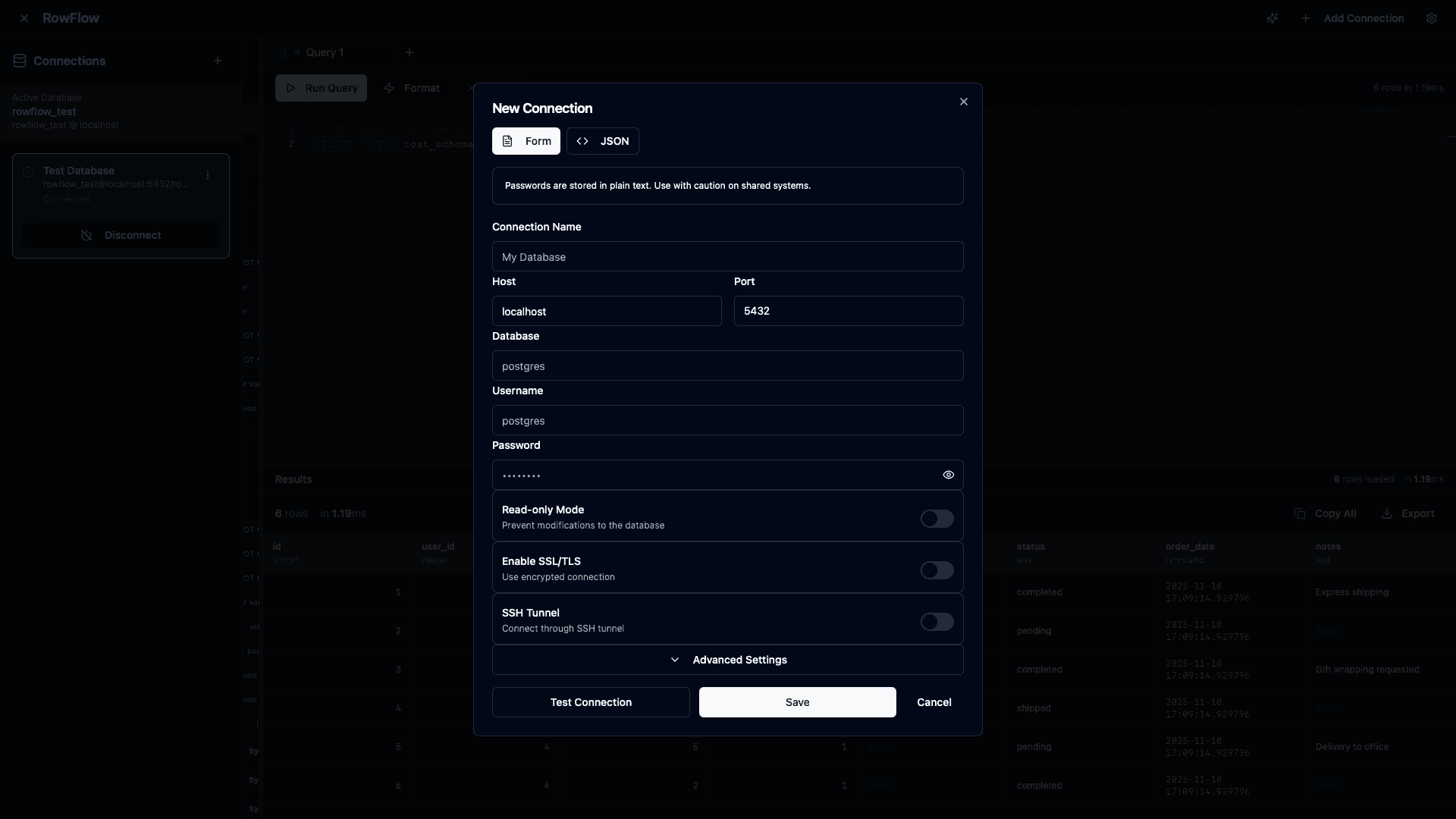
Connection Management
Create, edit, and manage multiple PostgreSQL connections with secure credential storage and TLS/SSL support. Connect to your databases effortlessly with a beautiful, intuitive form interface.
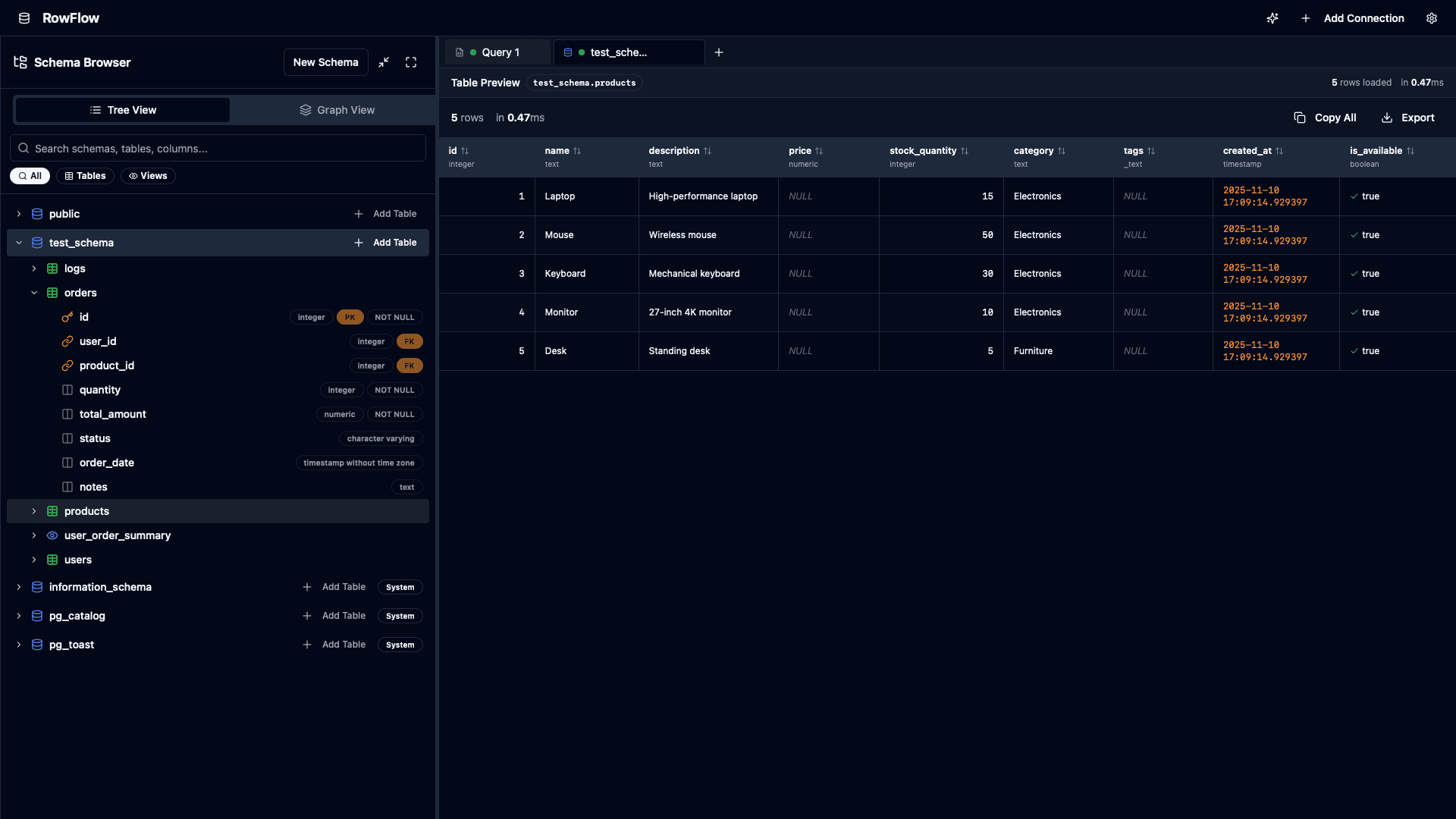
Schema Browser
Hierarchical tree view of schemas, tables, views, and columns with smooth animations and powerful search. Navigate your database structure effortlessly.
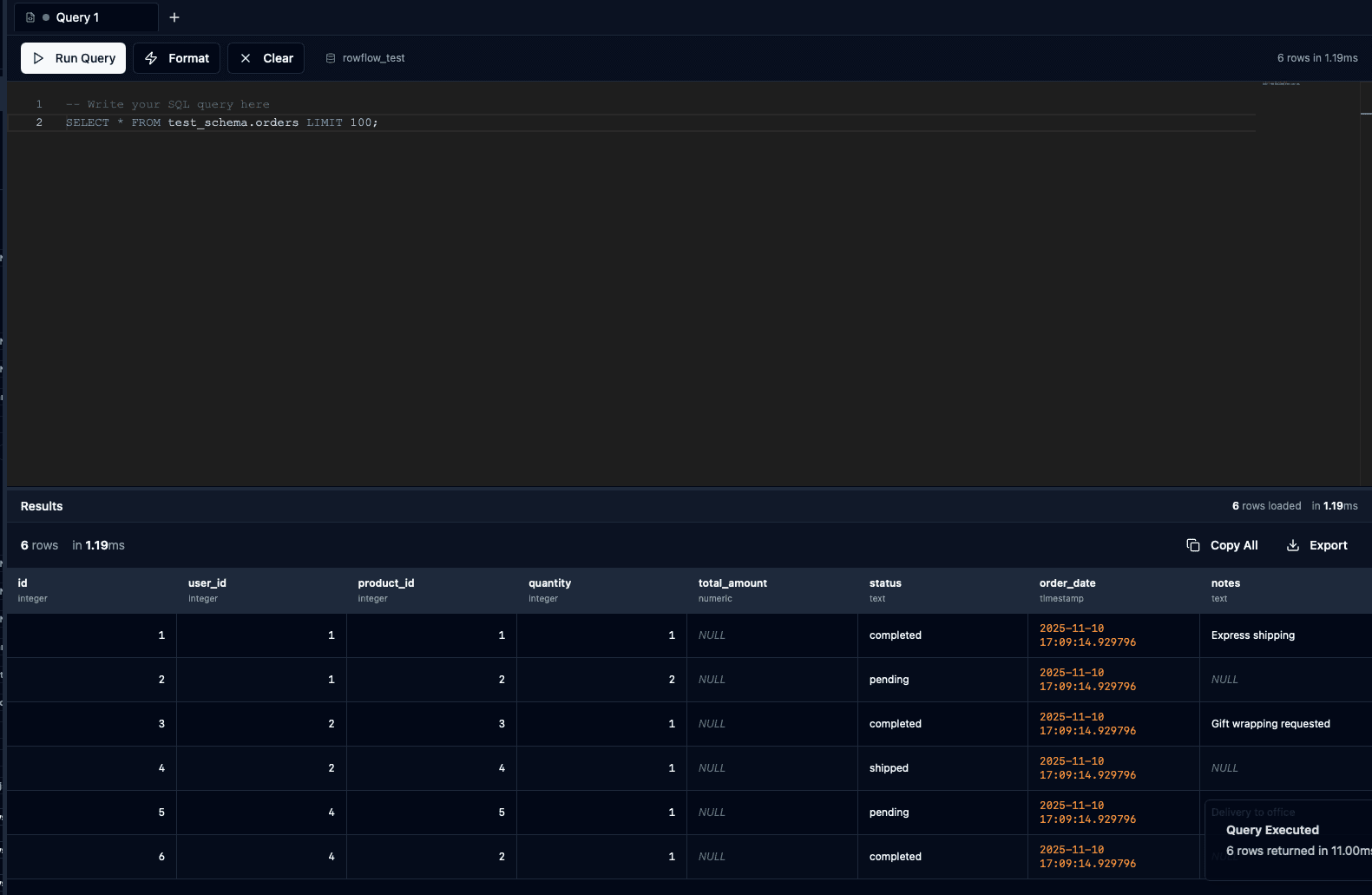
Query Editor
Monaco Editor with PostgreSQL syntax highlighting, auto-completion, and multi-cursor support. Write and execute queries with ease.
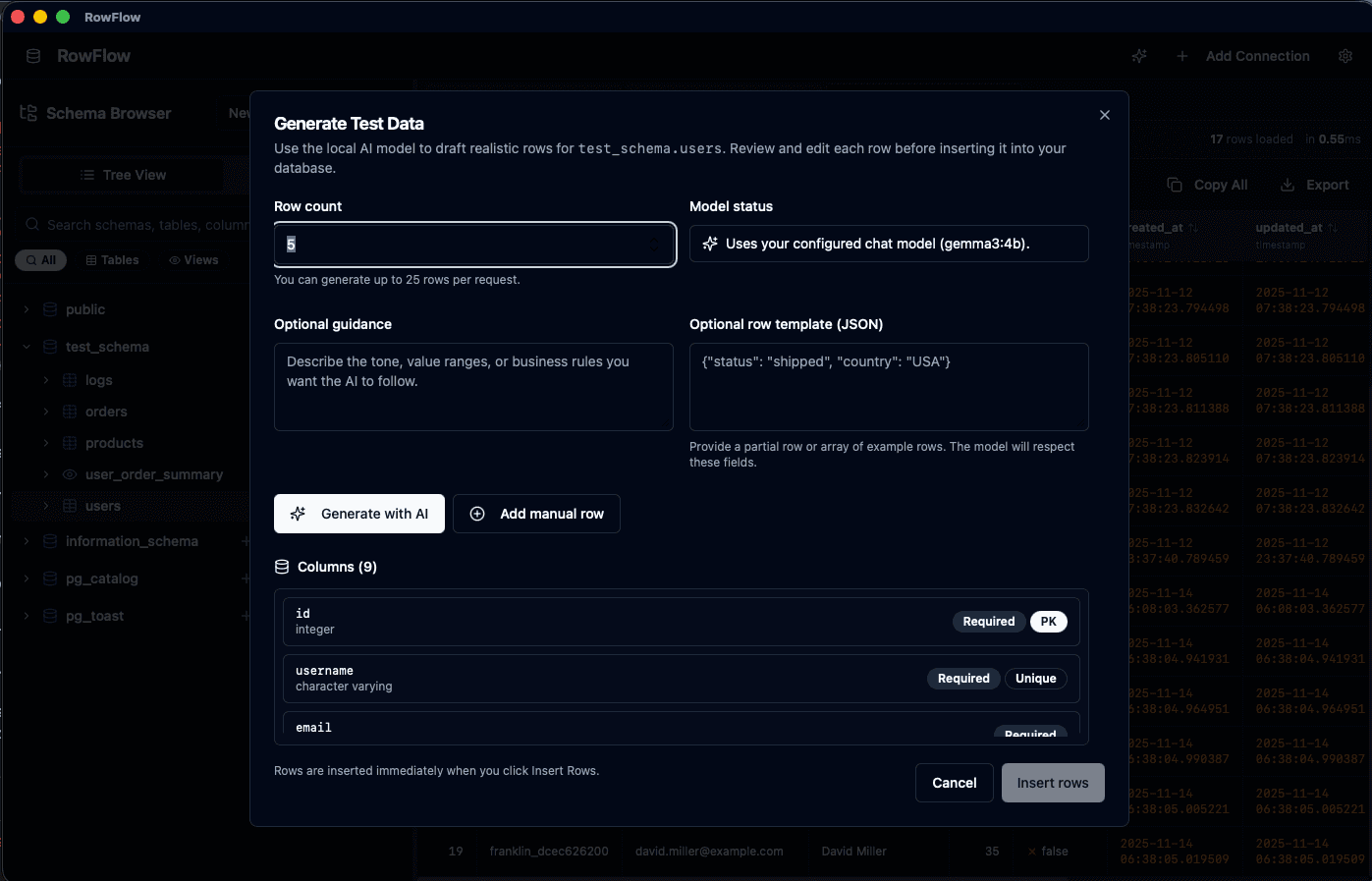
Generate Test Data
Use the built-in AI Test Data Generator to draft up to 25 rows per request, supply optional templates or guidance, and automatically respect primary and unique key constraints so inserts succeed on the first try.
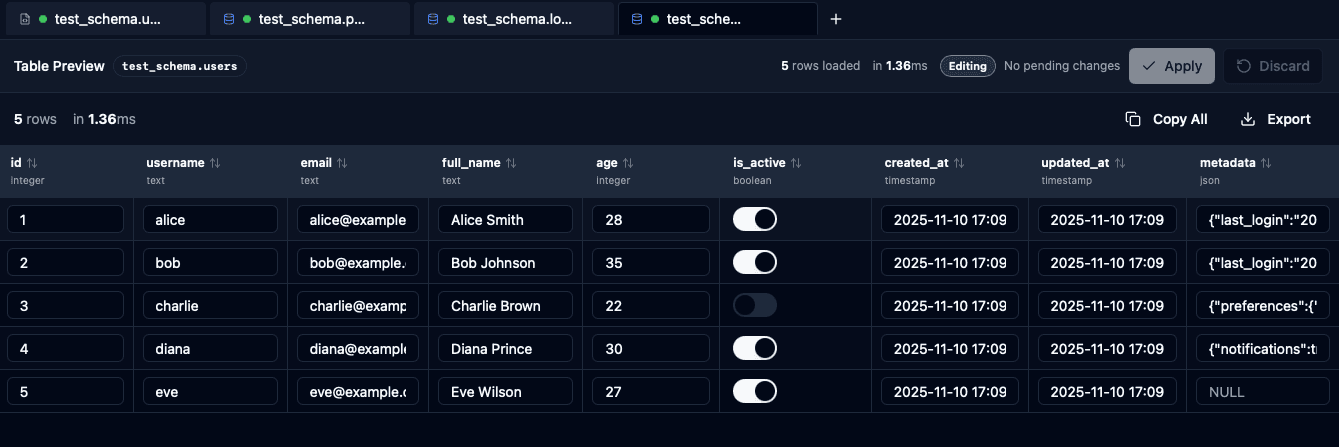
Results Grid & Editing
Virtualized table that handles 100k+ rows smoothly. Edit data inline, view JSON sidebars, and export results with ease.
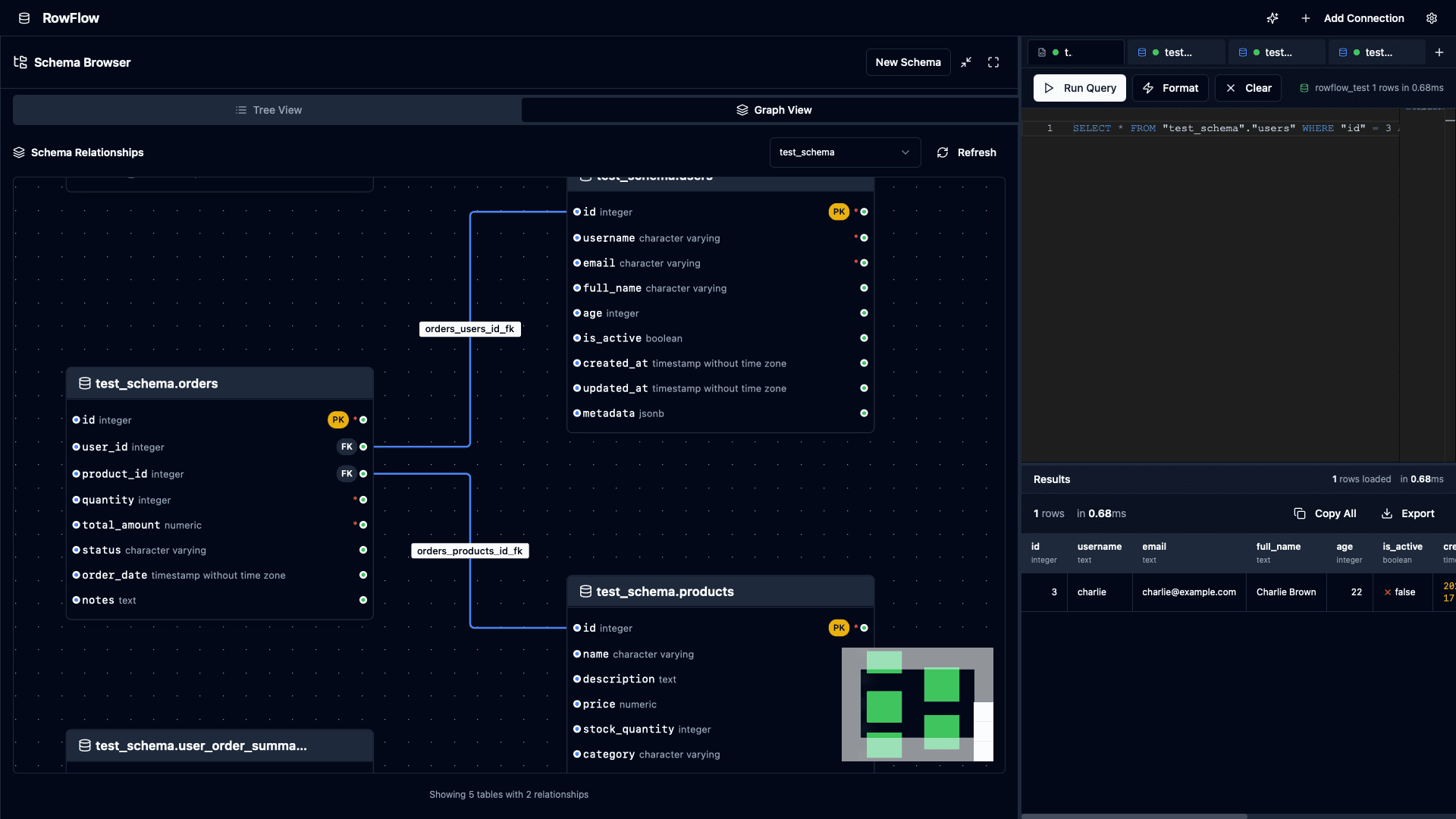
Schema Relationships
Visualize database relationships with interactive graph and detailed views showing foreign keys and table connections. Understand your data structure at a glance.
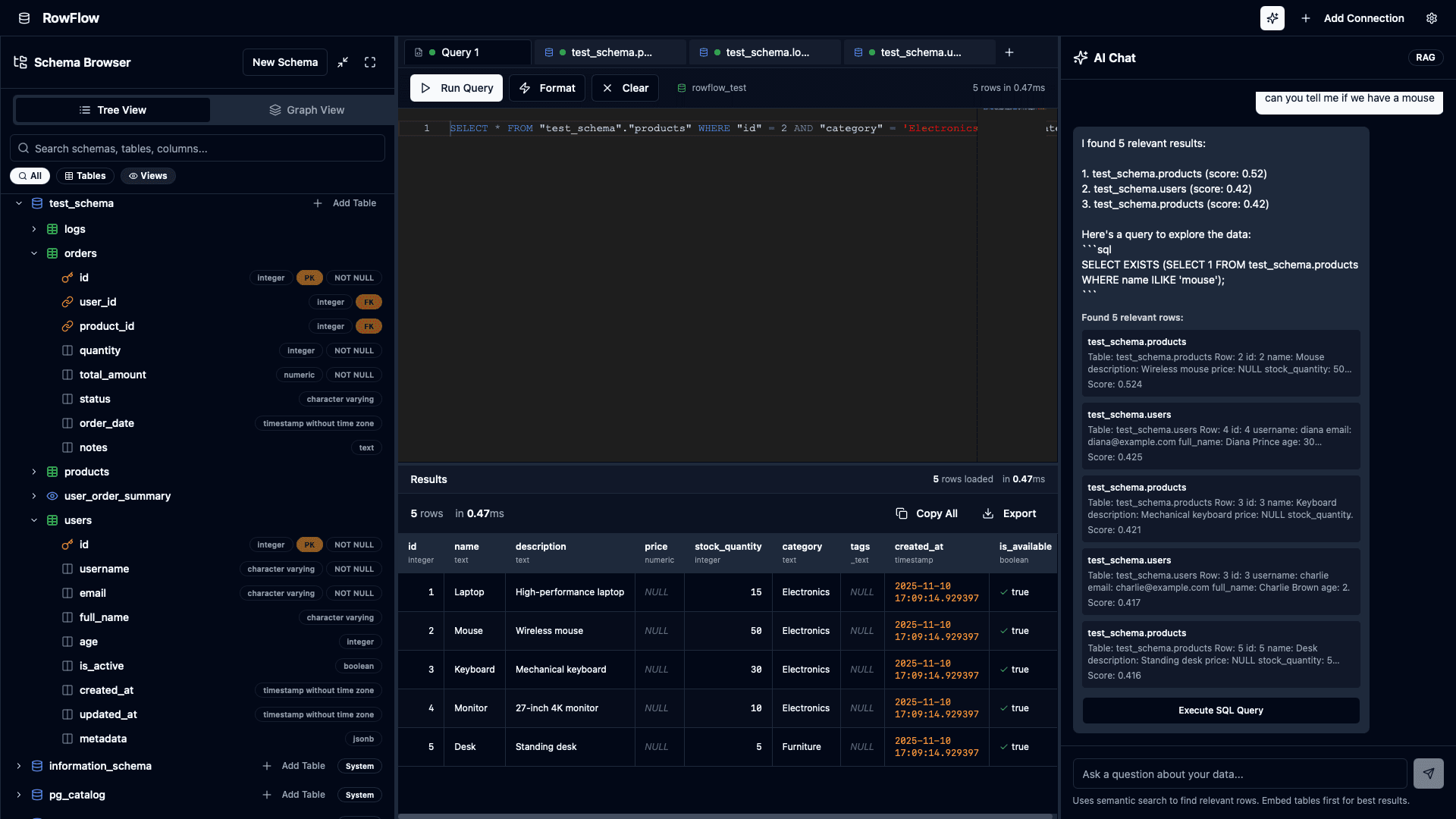
AI Chat & Embeddings
Local embedding pipeline with Ollama for semantic search over database tables. Ask questions in natural language and get intelligent answers about your data.
Fully Local & Private
Everything runs locally on your machine. Your data never leaves your computer—database connections, queries, results, and even AI processing with Ollama all stay completely private and secure.
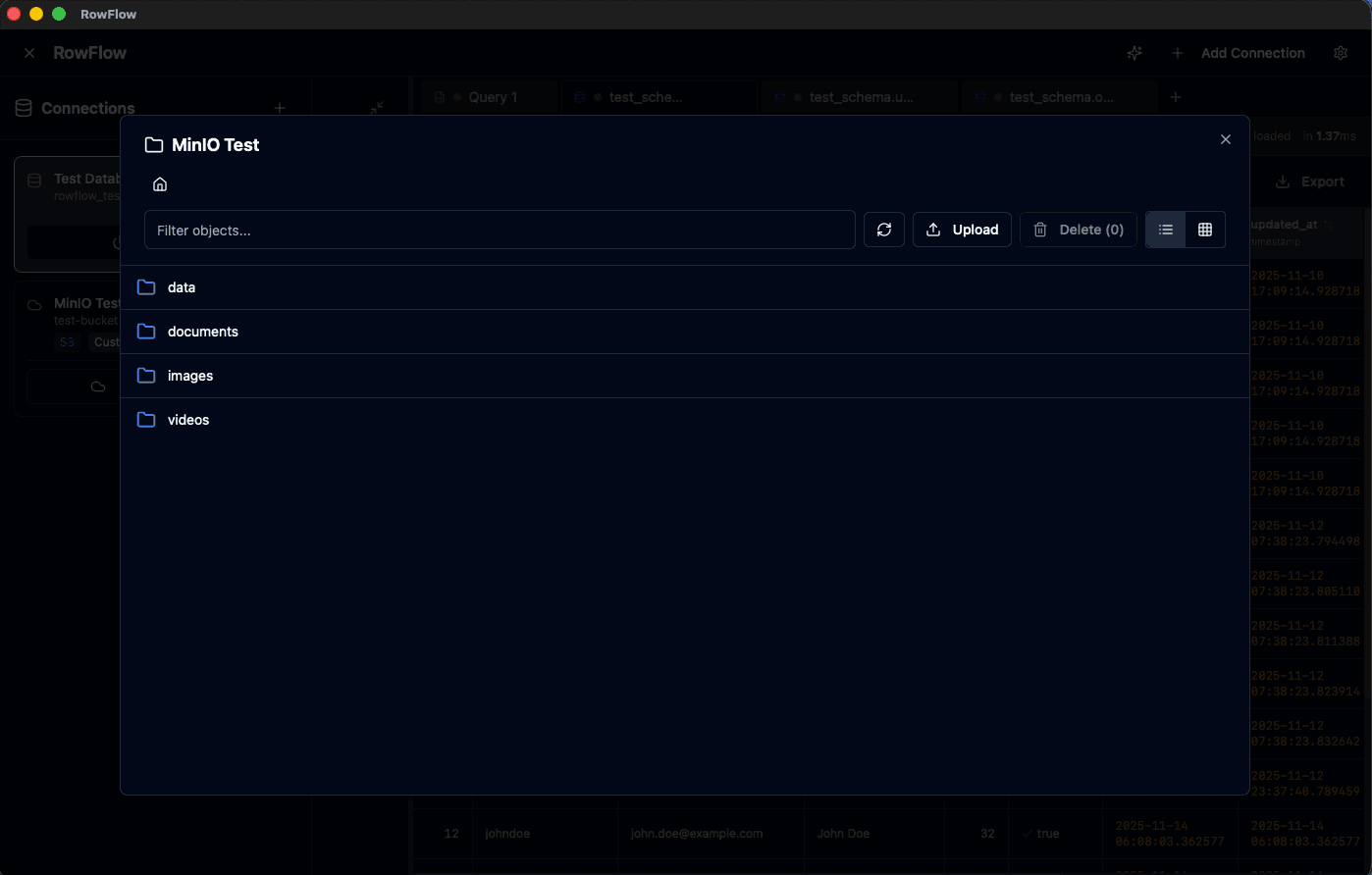
S3 & MinIO Bucket Browser
Browse and explore objects in S3-compatible storage buckets including MinIO. Navigate folders, filter objects, upload files, and manage your cloud storage directly from the app with an intuitive file browser interface.
And More
Additional powerful features to enhance your workflow
Command Palette
Keyboard-first navigation with 25+ commands accessible via ⌘K. Fuzzy search and recent commands.
MCP Server Integration
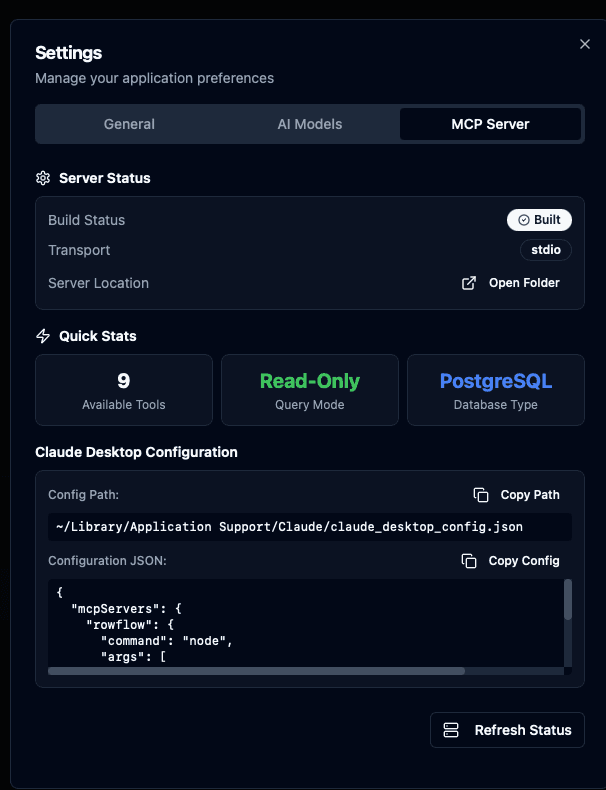
Built-in Model Context Protocol server for Claude Desktop integration and AI-powered database queries.
AI Model Management
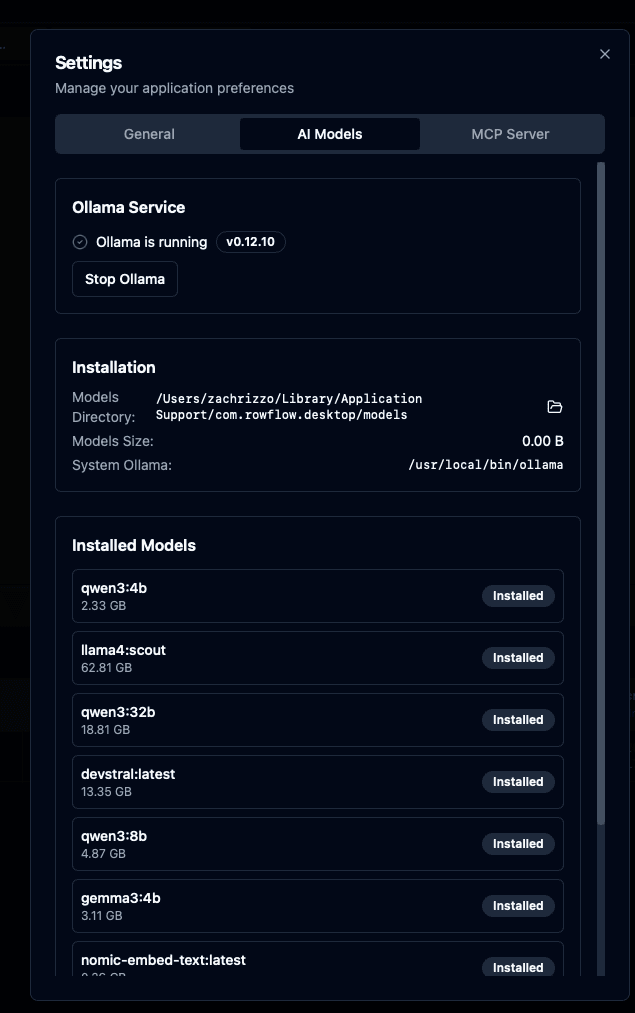
Manage Ollama models directly from the app. Install, configure, and monitor AI models for embeddings and chat.
Keyboard-First Design
Every action accessible via keyboard shortcuts. Optimized for power users and efficient workflows.
Secure & Read-Only
Read-only mode, TLS/SSL support, and secure credential storage. Perfect for production databases.
Lightweight & Fast
Built with Tauri for native performance. Small bundle size (~25 MB) and fast startup times.
Powerful Search
Debounced search across schemas, tables, and columns. Filter by type and auto-expand matches.
Beautiful UI
Modern dark theme with smooth animations, consistent design, and excellent user experience.
Get RowFlow Today
Start exploring your PostgreSQL databases with a beautiful, modern interface.
macOS
Download RowFlow for macOS
System Requirements
- macOS 10.15 (Catalina) or later
- Apple Silicon or Intel processor
- ~50 MB disk space
- PostgreSQL database access